
Every signal in the software can fail. A software FMEA asks what happens then, signal by signal. Every answer the team cannot give is a requirement nobody wrote. Eight steps, about three days, no code reading.
11 min listen · 7 min read · Read instead ↓
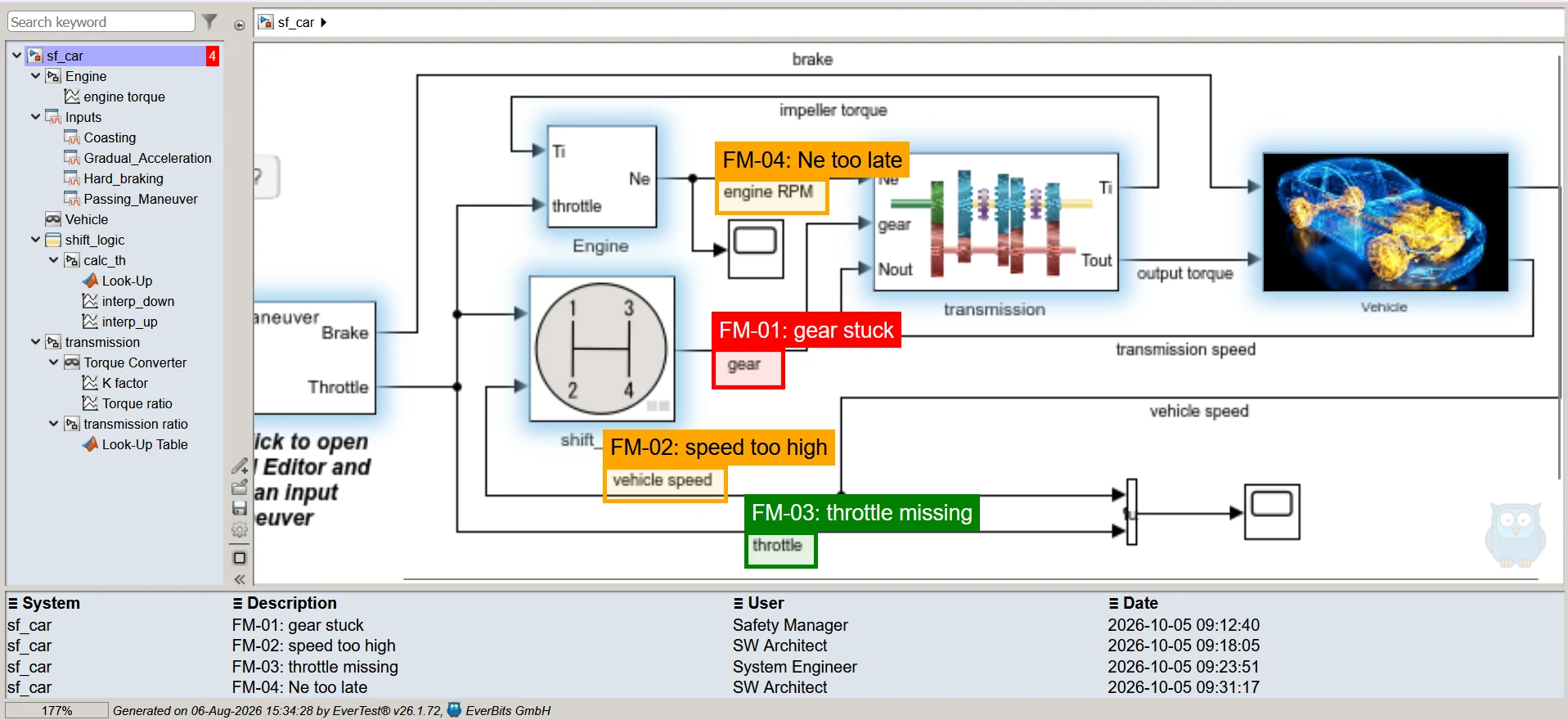
EVERVIEW · FAILURE MODES PINNED TO THEIR SIGNALS

This article runs inside out: signal by signal, from the parts up. The follow-up starts at the function and works top down, along the seven AIAG-VDA steps. That is the way to find the requirements nobody wrote. Read the outside-in version →
A software FMEA asks one question for every signal in the software: what happens when this signal fails? The answers you cannot give are the requirements nobody wrote. This article shows how to find them in about three days, without reading code.
Picture an FMEA session. The moderator is experienced. The safety manager knows every hazard. The hardware engineer has analyzed circuits for twenty years.
Then the software comes up.
Someone shares a screen. A screenshot of the model appears. It shows one level, and it is one week old. Somebody asks where the vehicle speed comes from. Nobody knows. The one engineer who can open the model is in another meeting. The question goes into the action list, and the team moves on.
I have seen this many times, as a trainer and as an engineer. The people in the room are not the problem. They know how to run an FMEA. The problem is the software. It does not arrive in a form they can work with.
This article is about both: what a software FMEA is, and how to bring the software into the room.

Figure 1 · The usual FMEA session: a screenshot, an open question, an item on the action list
FMEA stands for Failure Mode and Effects Analysis. It is a table. Every row holds one element, one way it can fail, and the effect of that failure. In the last columns, the team writes down how to detect the failure and what the system does about it.
Hardware engineers have used FMEA for decades. They take a component, a resistor or a connector, and ask: what if it is open? What if it is shorted? What if its value drifts? Then they follow the effect through the circuit to the vehicle.
A software FMEA uses the same table and the same logic. Only the elements and the failure modes are different.
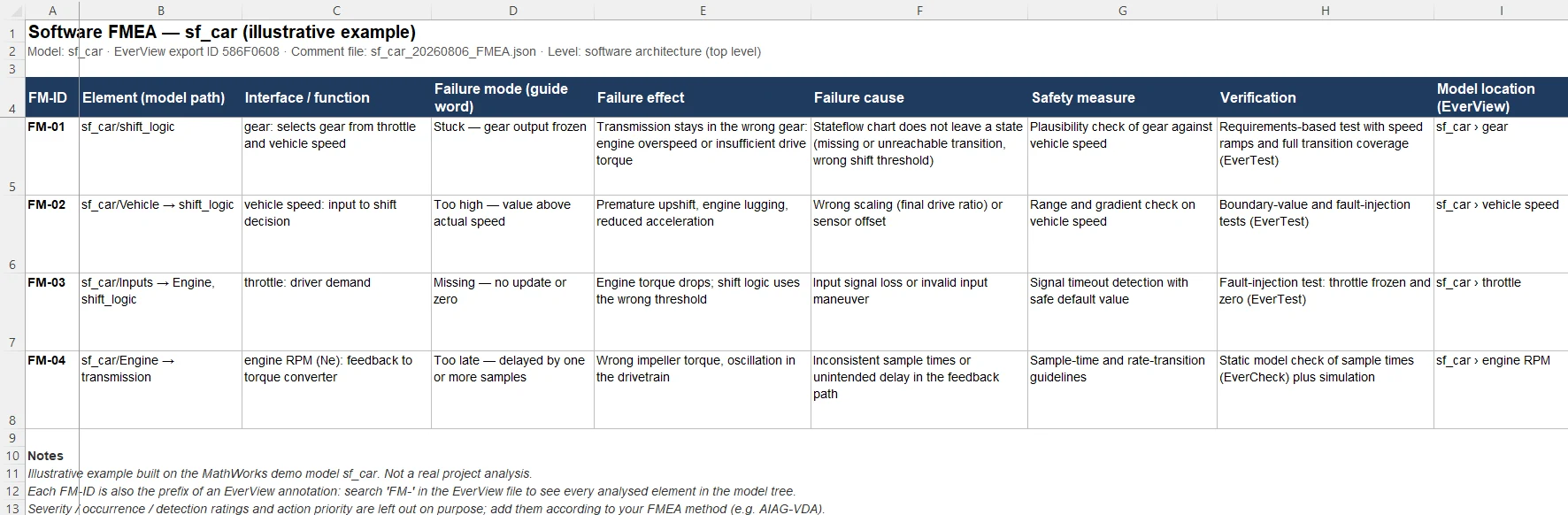
Figure 2 · An FMEA is a table: one row per element and failure mode. Illustrative example on the MathWorks demo model sf_car
A software FMEA works on the software architecture, not on the code. The architecture shows components and the signals between them. In a model, a block is a component and a line is a signal.
For every signal, you ask: what happens if this signal fails?
Software does not wear out. It fails in its own ways, and seven of them cover almost every case. A signal can be missing. It can have a wrong value. It can be out of range. It can be stuck at an old value. It can arrive too late. It can arrive in the wrong order. Or it can be corrupted on the way.
Seven failure modes, for every signal that matters. That is the whole method. The difficult part is to apply it consistently.

Figure 3 · One signal, seven ways to fail
Requirements describe the normal case. They say what the system does when all inputs are correct. The gear changes at the right speed. The engine follows the pedal.
The FMEA asks about the abnormal case. What does the shift logic do when the vehicle speed is missing? When it is stuck? When it arrives late? Very often, the honest answer is: we don’t know. Nobody wrote it down.
This answer is the most valuable result of the whole analysis. Every “we don’t know” is a missing requirement.
Testing cannot find it. A requirements-based test checks what somebody wrote. It cannot check a reaction that was never specified. Unit tests prove that the code meets the specification. The FMEA proves that the specification is complete.
This becomes more important every year. Code is generated from models, and more and more of it is written by coding agents, directly from the requirements. What the requirements do not say, nobody builds. Not the engineer, not the code generator, not the agent.
So a software FMEA is not only a safety tool. It is a requirements tool. A heat pump, a charging station, a coffee machine: they all have signals that can go missing. The same table protects availability, warranty cost, and the trust of the user.

Figure 4 · Every “we don’t know” becomes a new requirement, and every requirement gets a test
If you come from hardware, you are better prepared than you think.
A component in your schematic is a subsystem in the model. A pin or a net is a signal. Open, short and drift become missing, wrong value and stuck. And your diagnostic becomes a check at the receiver: the component that uses a signal checks it before it trusts it.
The checks are the same family you know. A range check. A plausibility check against a second signal. A checksum. An alive counter that shows the sender is still running. A timeout. If you know the diagnostic tables in your safety standard, you have seen all of them.
One thing is new. In hardware, two components interact through a wire. In software, two components can share memory, a task, or a data path. If one of them misbehaves, the other can fail too, although no signal connects them. This is called interference, and the method has a separate step for it.

Figure 5 · The same idea one level up, and the one thing that is new: interference without a wire
ISO 26262 never uses the words “software FMEA”. Part 6, clause 7.4.10 requires a safety-oriented analysis of the software architectural design, applied as described in Part 9; Part 6, Annex E shows how. Interference is covered by the dependent failure analysis in Part 9 and by freedom from interference in Part 6, Annex D. The checks at the receiver are the communication mechanisms of Part 5, Annex D; for software, nobody asks for a diagnostic coverage percentage. IEC 61508-3 and IEC 62304 ask for the same kind of analysis in their own words.
Here is the complete workflow. For a typical architecture it takes two to three days. Most of that time goes into step four.
One. Freeze the architecture. Take one level of the model as a fixed snapshot. Blocks are components, lines are signals. Do not open the units.
Two. Select the signals. Mark only the signals that can violate a safety goal or a top-level requirement.
Three. Fix the fault model. Use the same seven failure modes for every signal and for every person in the room.
Four. Fill the table. One row per signal and failure mode, in your own FMEA tool. Follow each effect up to the vehicle.
Five. Decide the reaction at the receiver. Range, plausibility, checksum, alive counter, timeout. Each reaction becomes a requirement.
Six. Look for interference. Shared memory, shared tasks, shared data paths.
Seven. Feed it back. The new requirements go into the specification and into the model.
Eight. Try to break it. More on that at the end.
One thing is not on the list: a risk priority number. Software faults are systematic, not random. A failure rate for the occurrence is hard to justify. Most teams keep the analysis qualitative. Use what your method prescribes. The eight steps stay the same.
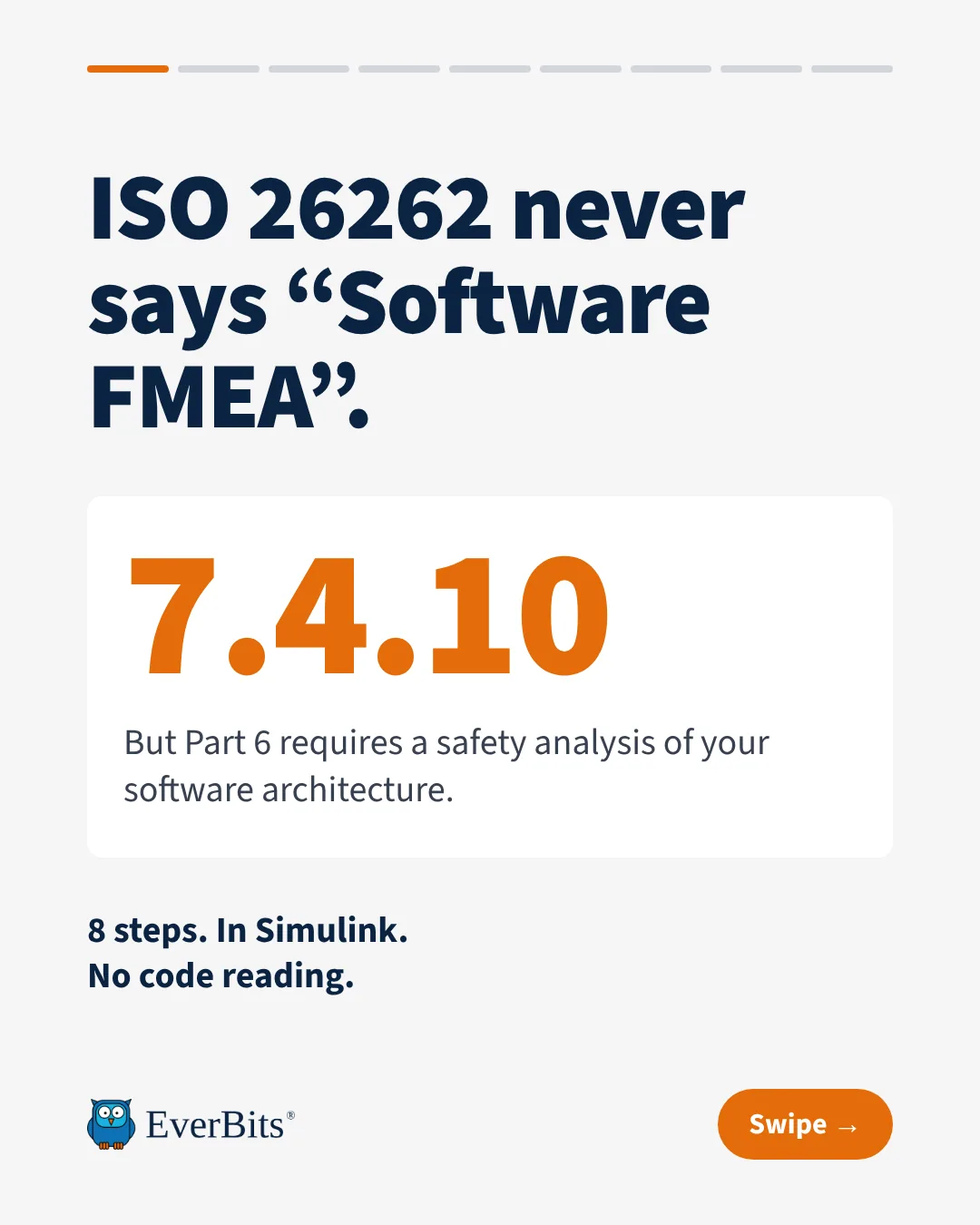
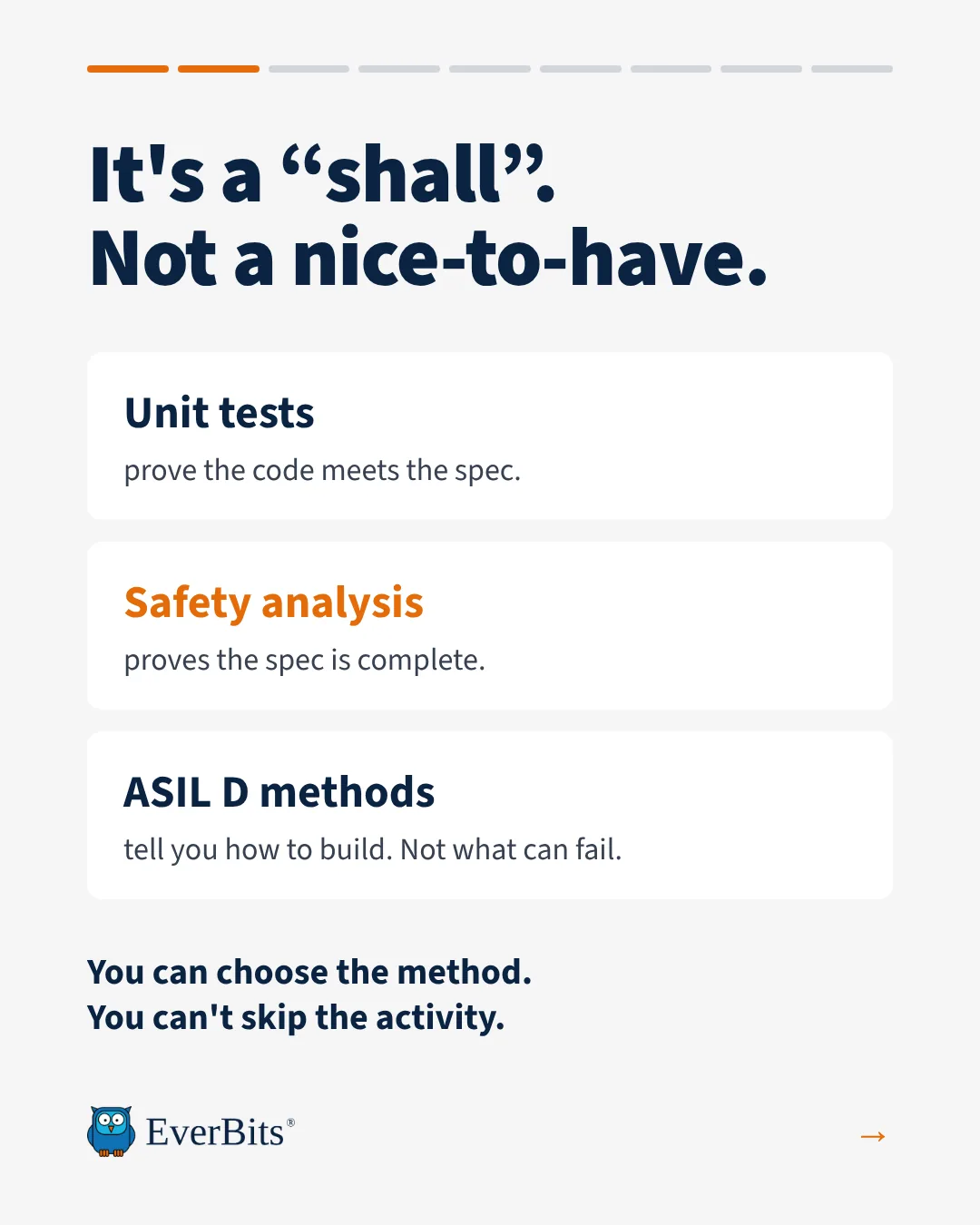
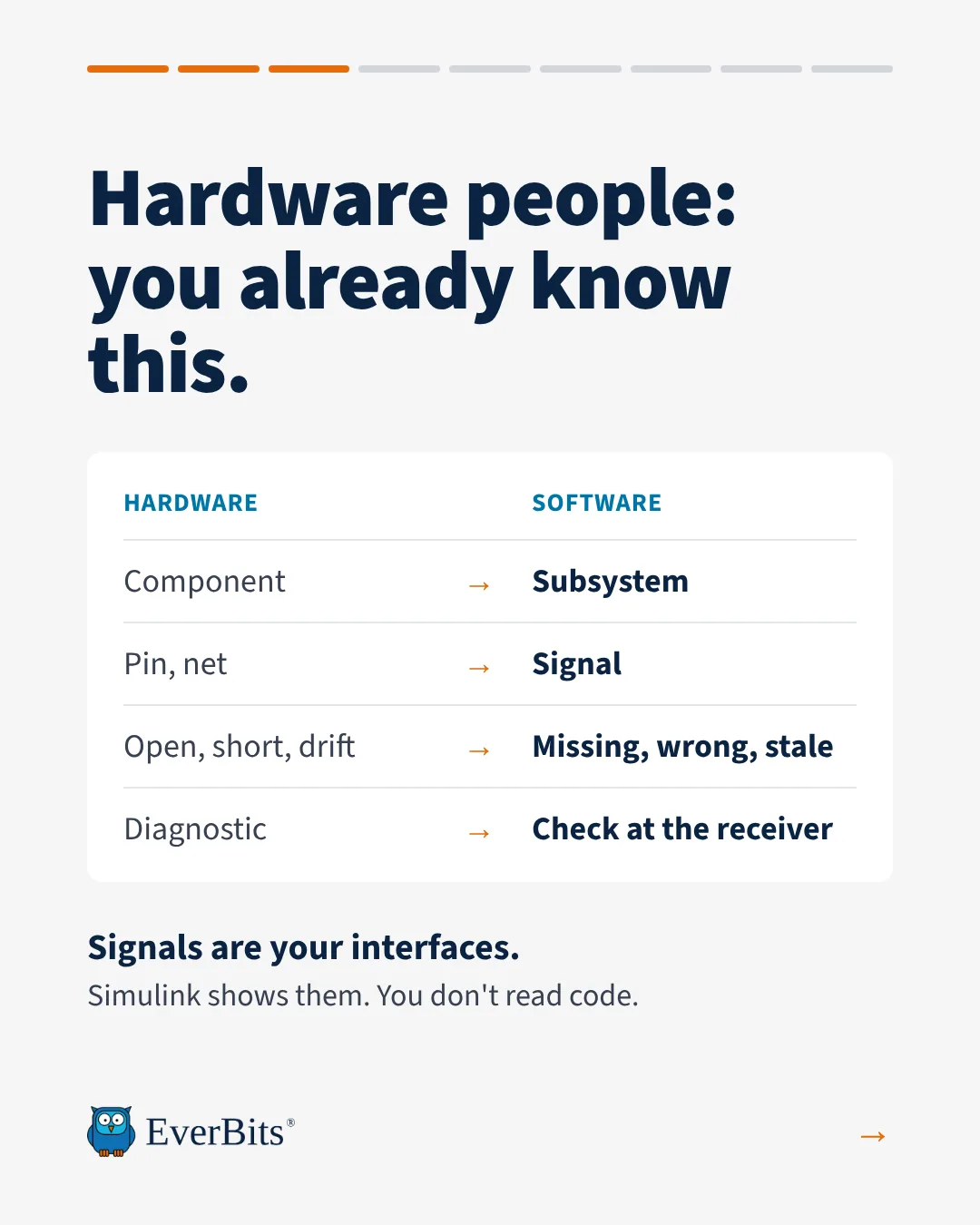
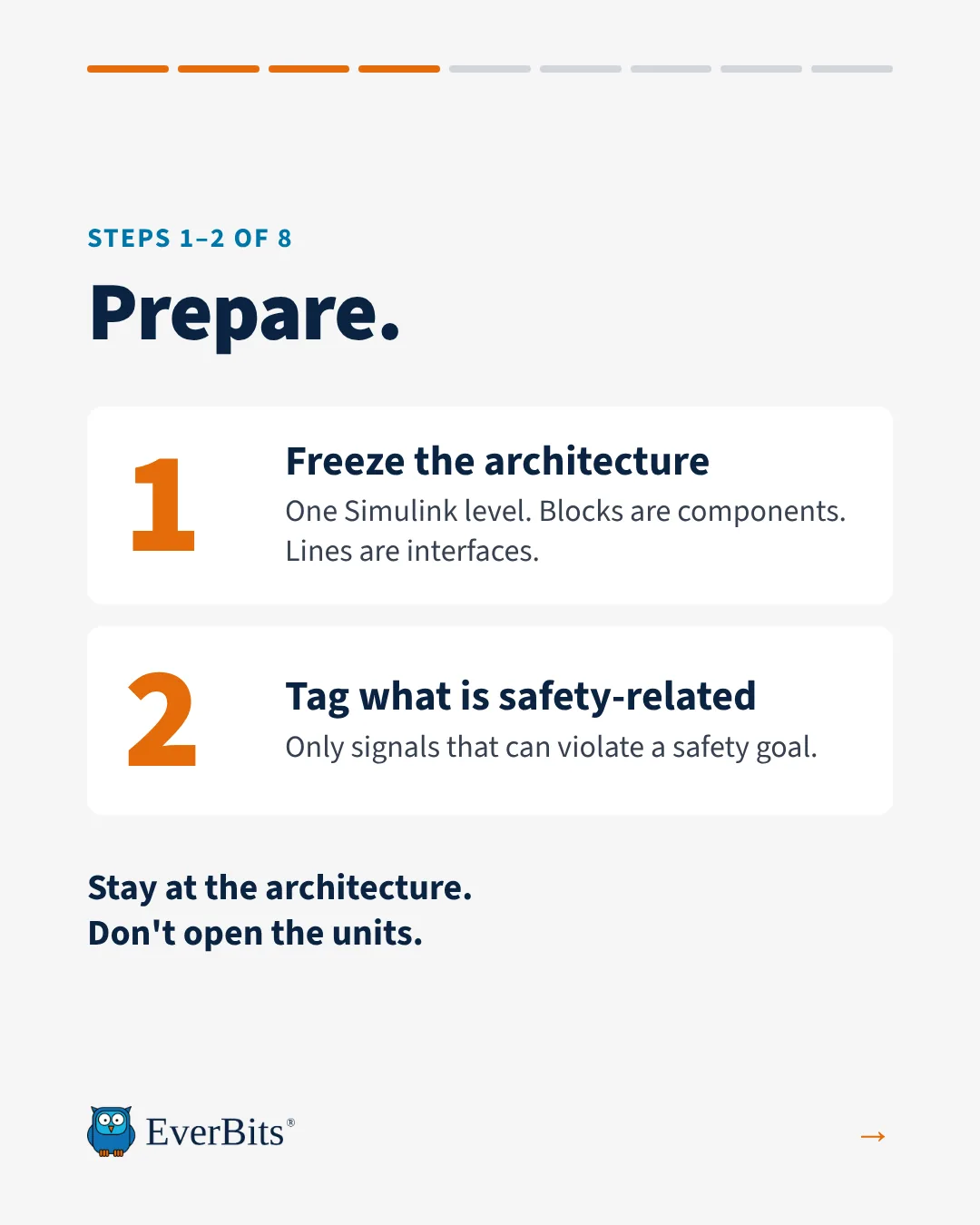
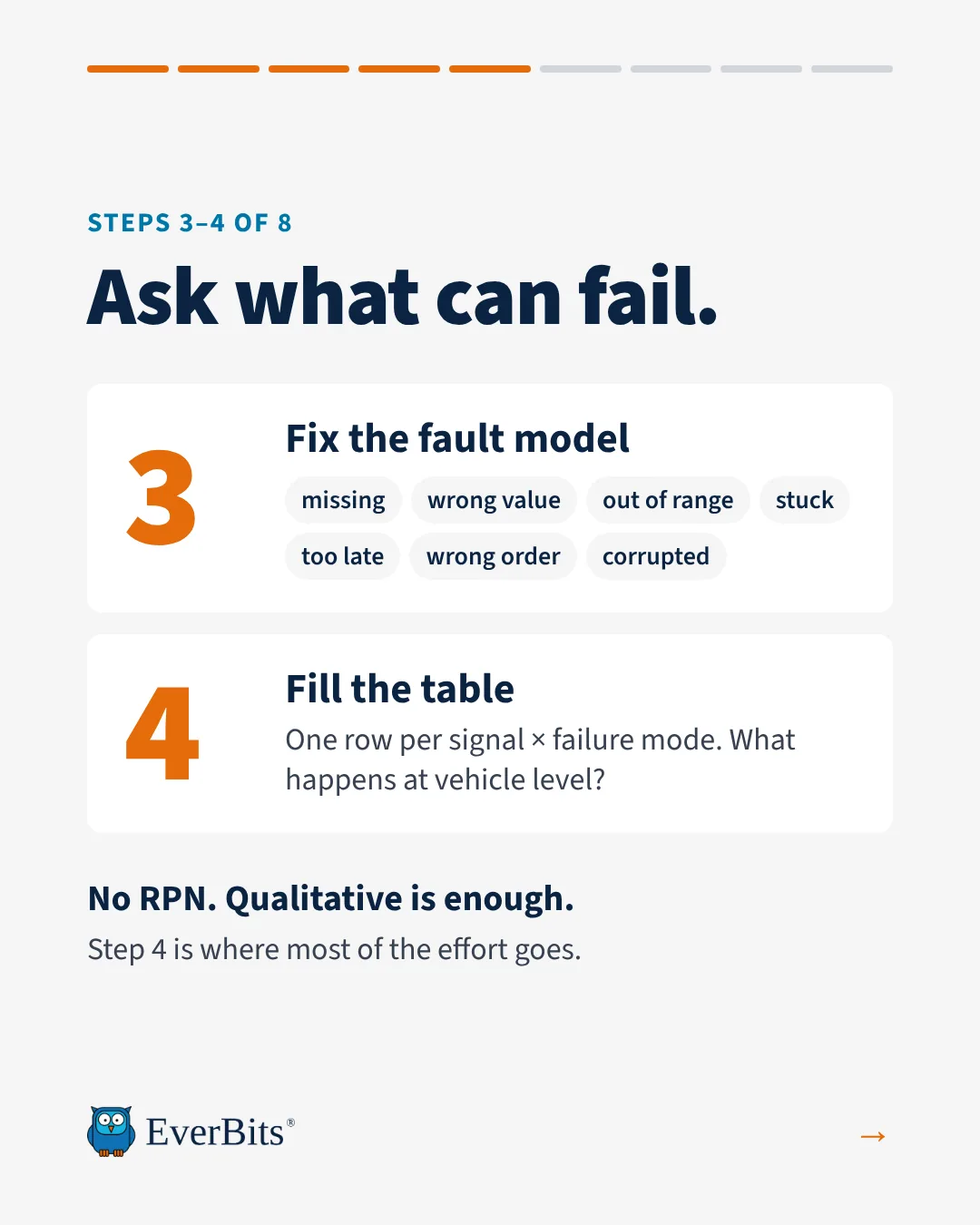
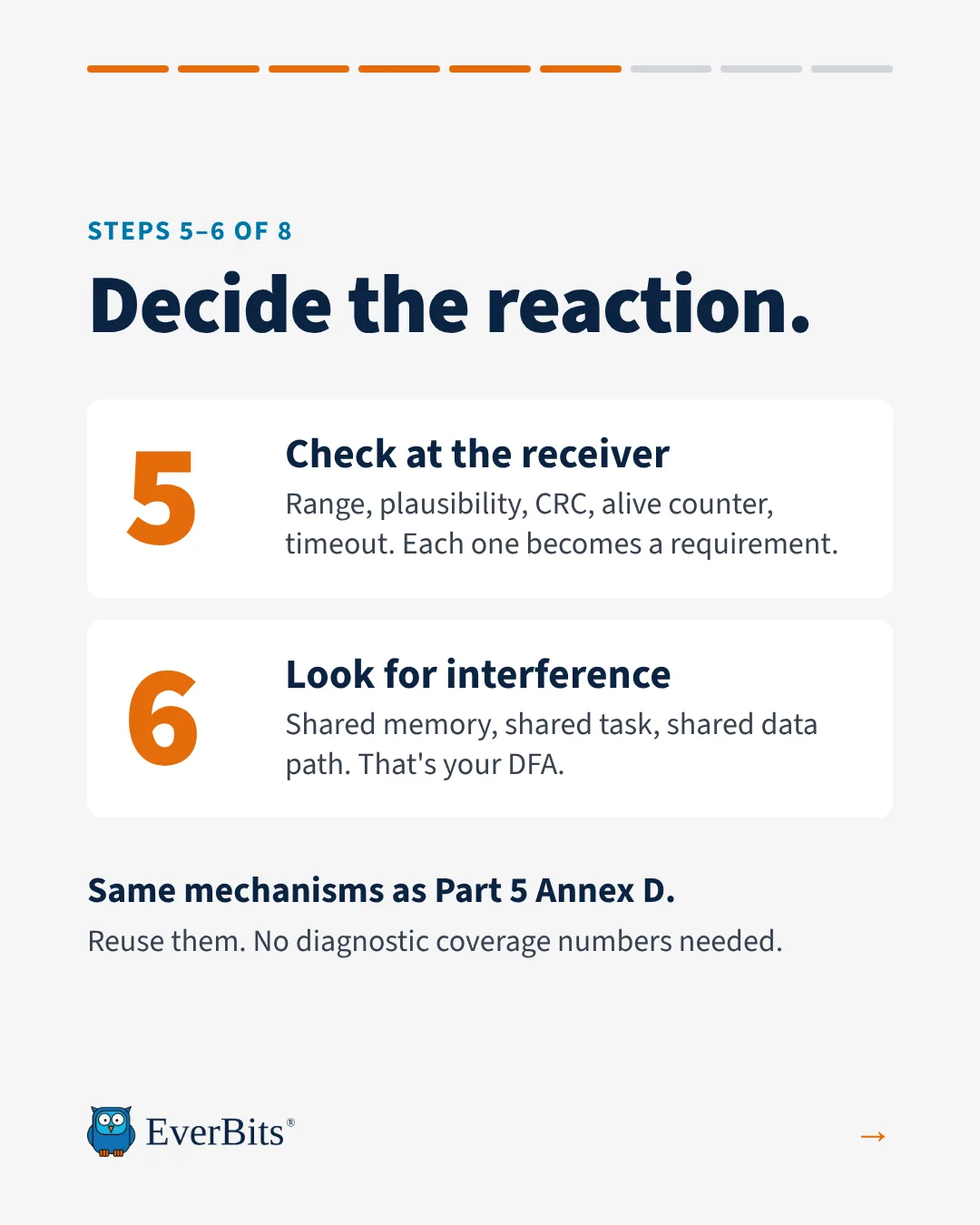
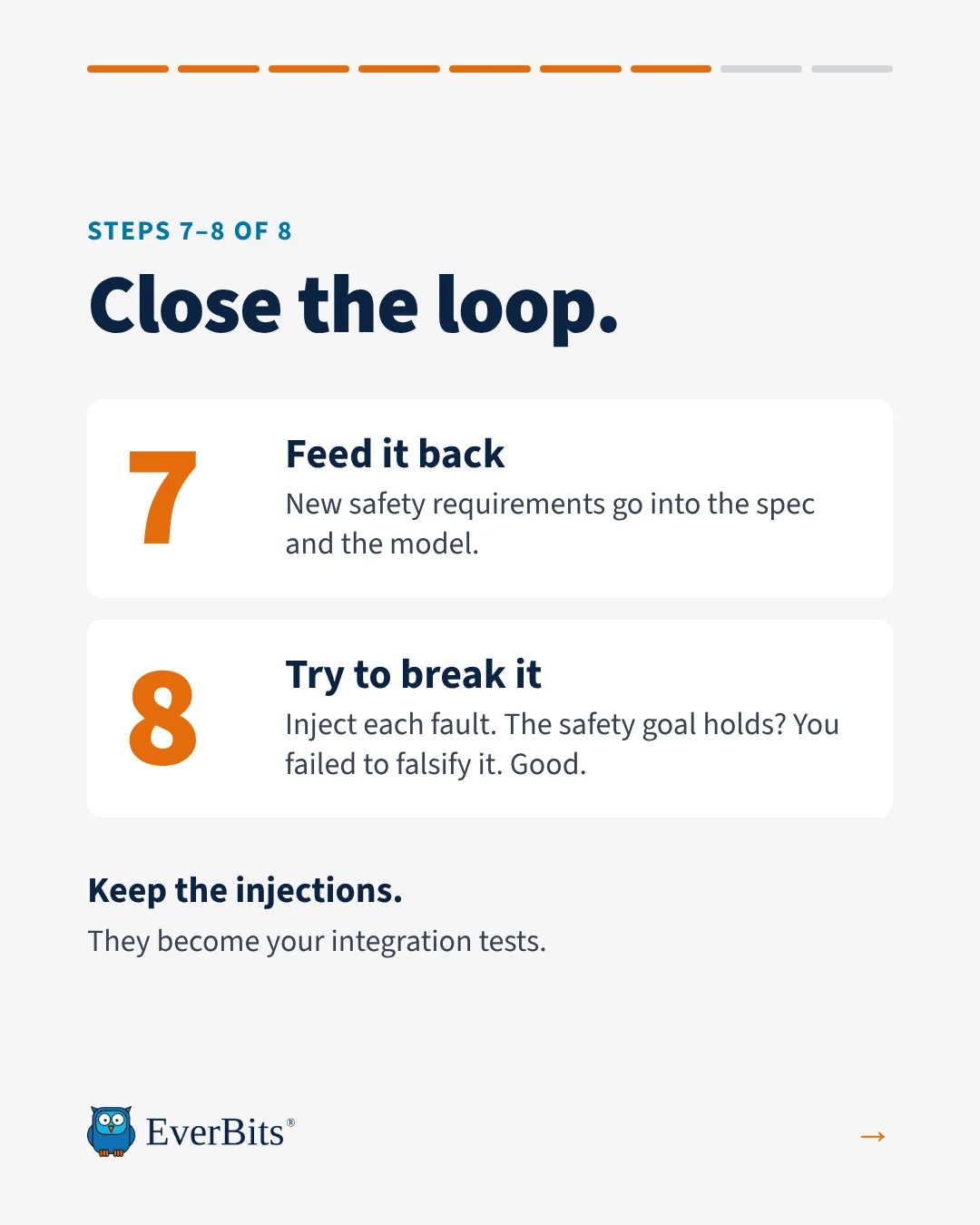
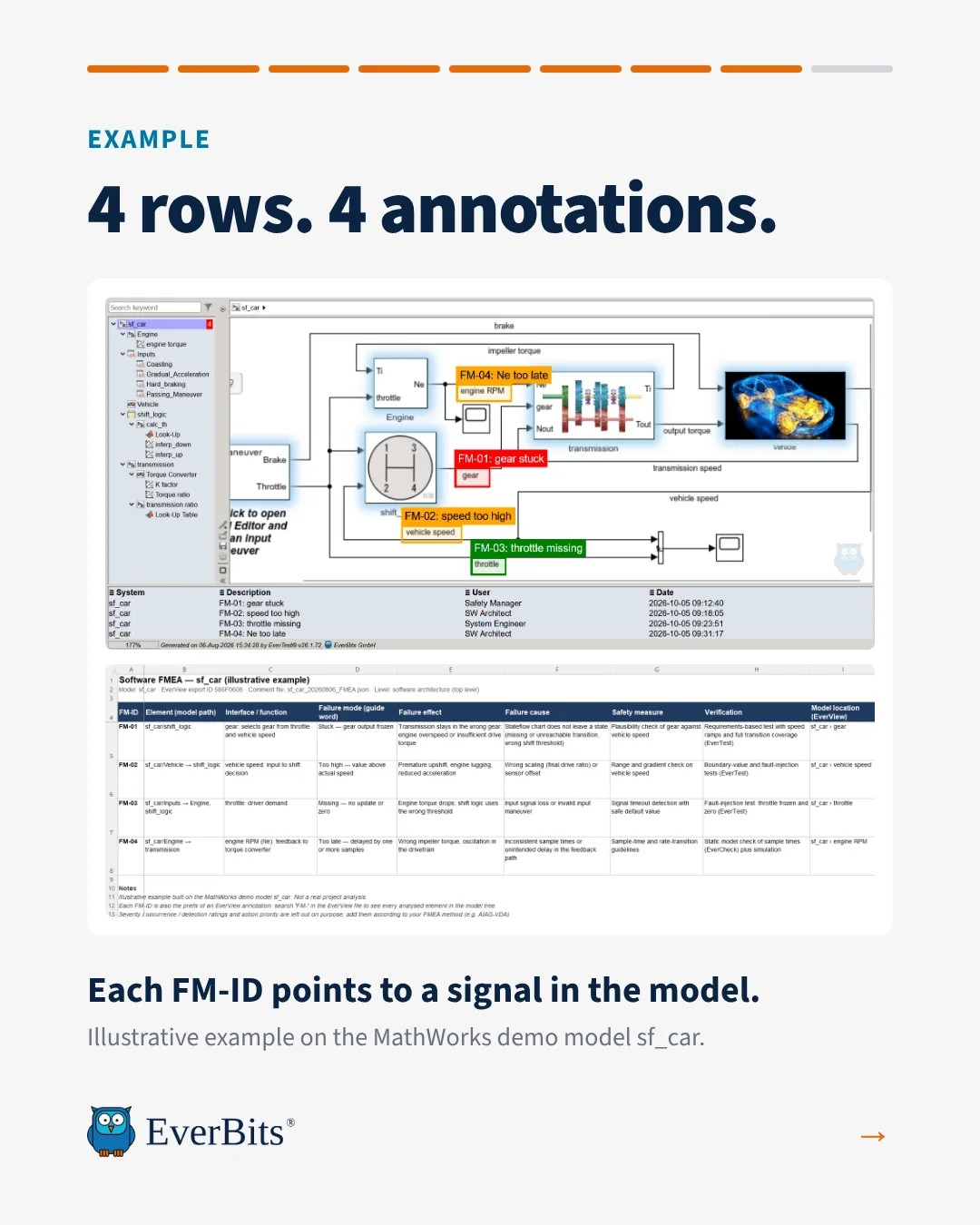
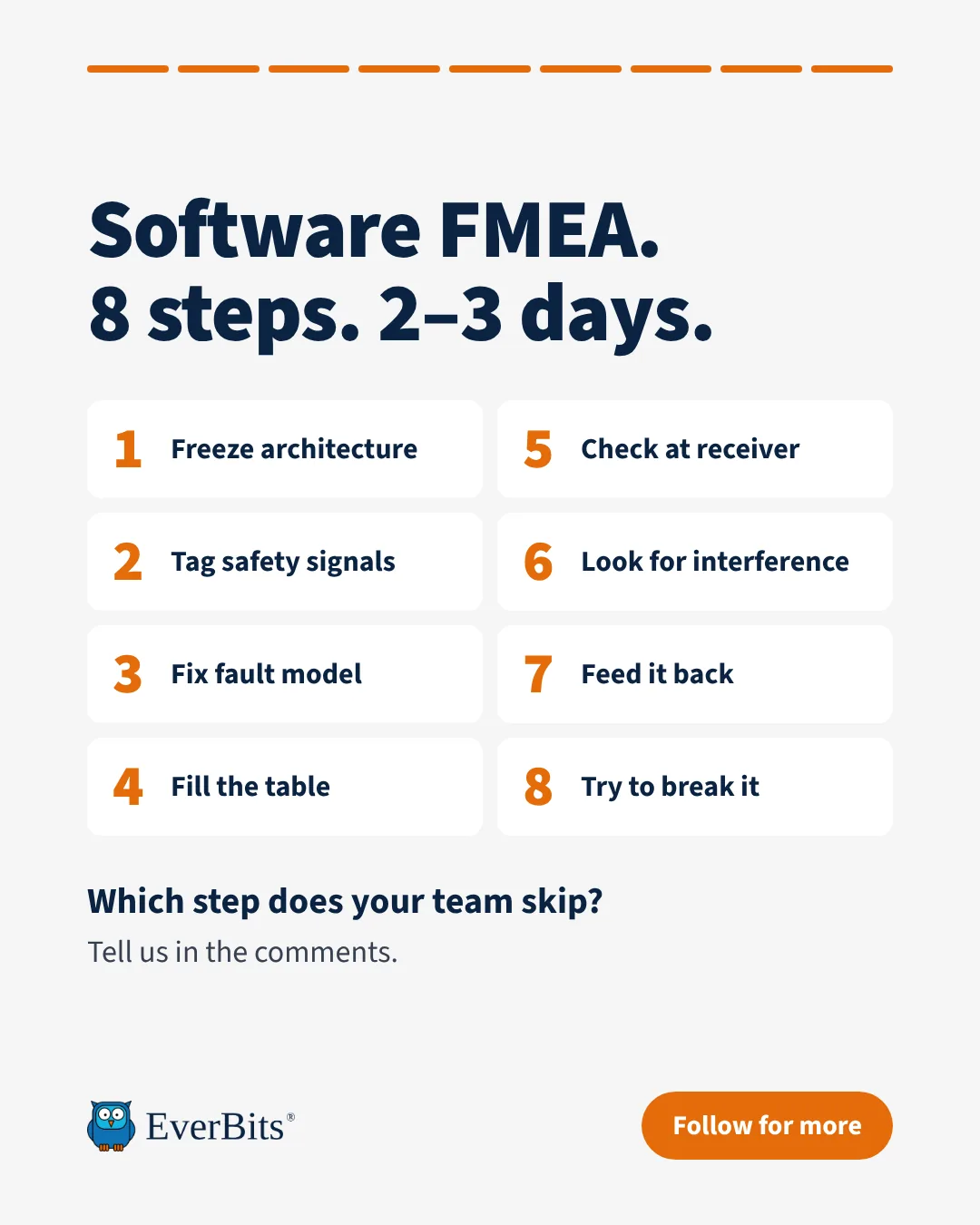
Figure 6 · The eight steps as slides. Swipe, or use the arrows
Back to the meeting at the beginning. The method was not the problem. The input was.
The FMEA team needs the architecture itself, not a picture of it. Something they can open on their own laptop, click into, search, and keep. No modeling tool, no license, no installation, and no C code. Generated code hides the signals under thousands of lines. Safety, system and hardware engineers should not have to read it.
That is why we built EverView. The software team exports the architecture once, as a single HTML file. The FMEA team opens it in any browser and moves through it like the model: double-click into a component, search for a signal, follow it from the sender to the receiver.
During the session, every failure mode is pinned to its signal, with the same ID as the row in the FMEA table. These comments go into a second, small file. So the analysis leaves two files behind. One holds the exact architecture the team analyzed. The other holds the review: who said what, about which signal, and when. Both are text files, and both go into version control. Six months later, when an assessor asks which version you analyzed, you open the file and show it.
Your FMEA tool does not change. Your template does not change. Your method does not change. Only the input changes.
Figure 7 · Four failure modes pinned to their signals, with the same IDs as the FMEA rows in Figure 2
Open the live sf_car example in your browser →
The EverView export is a frozen snapshot of the model, so the FMEA always refers to one defined version. The comment file is JSON, small enough to diff and merge; several reviewers can work in parallel and merge their files afterwards. EverView is a standalone app for 500 € per user and year — see EverView or request a free trial at support@everbits.com.
The last step changes the question.
After the FMEA, you have a list of reactions. If the vehicle speed is stuck, the shift logic does this. If the throttle signal is missing, the engine does that. Each reaction is a claim. In step eight, you test your own claims.
You inject each fault on purpose. You freeze the gear signal. You delay the engine speed by a few samples. You cut the throttle. Then you check whether the vehicle still does what it must.
If it does, you have not proven that the system is safe. Nobody can prove that. You have tried to break it and failed. That is the strongest statement an engineer can honestly make.
Keep these fault injections. They become integration tests, and they run again with every change. The FMEA is no longer a document in a folder. It becomes part of the build.

Figure 8 · Try to break it. If the goal holds, keep the fault injections as integration tests
ISO 26262-6 requires a safety-oriented analysis of the software architectural design. It does not prescribe the name FMEA, but an FMEA of the interfaces is one of the most common ways to meet this requirement.
No. The FMEA stays in the tool and template you already use. EverView only adds the software architecture as one file that opens in any browser.
No. Every system has signals that can go missing or arrive late. The same analysis protects availability, warranty cost and user trust, because it finds the reactions the requirements never described.
No. The EverView file opens in any web browser, with no installation and no license. It shows the architecture with signals as interfaces, and no C or C++ code.
Tell me on LinkedIn — or open the sf_car example in your browser, the way an FMEA team sees it.
Discuss on LinkedIn Open the live exampleWritten by Evgeni Verbitski, functional safety trainer and founder of EverBits · support@everbits.com
